
Hack Weak Telnet Services: The Dangerous Reality of Weak Telnet Configurations
Telnet is a network protocol that allows users to access and use a remote computer as if they were directly connected to it.
Because Telnet transmits everything in plaintext and predates any notion of built-in authentication hardening, leaving the Telnet port open on a host can let an unauthenticated attacker connect directly to the service, often straight into a privileged shell, without ever being asked for a password.
Recon: Finding the Open Port
Below is an example of a system with a Telnet port open. To confirm this, an nmap scan is run to identify the open ports and services:
nmap 10.129.6.152
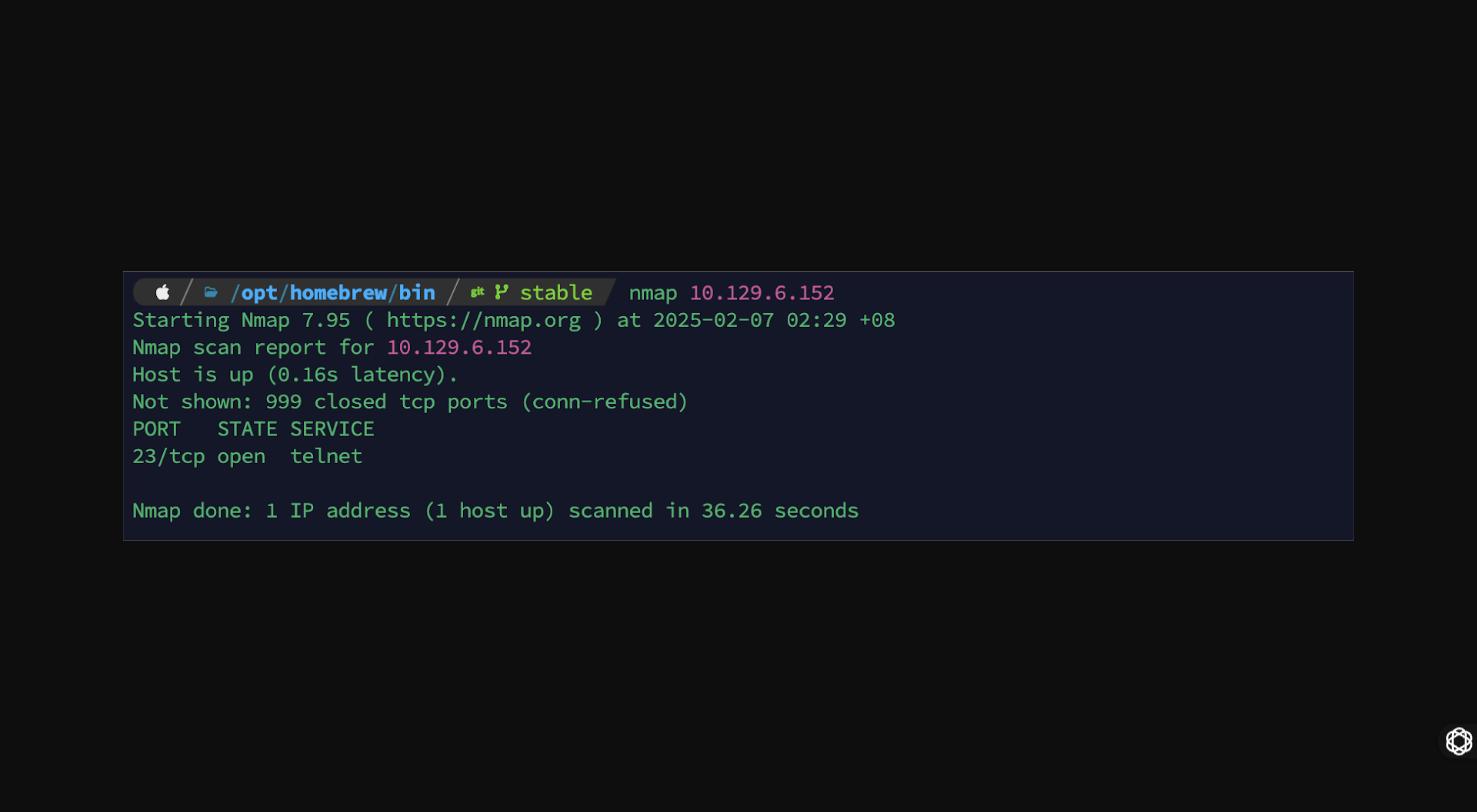
Nmap confirms a single open port: 23/tcp open telnet.
Exploitation: Connecting Without Credentials
Once the service is identified, the next step is to connect to it directly with the telnet client:
telnet 10.129.6.152
This particular system has no password protection configured on the Telnet service at all, so the session drops straight into a shell as the highest-privileged account, root, without ever prompting for credentials.
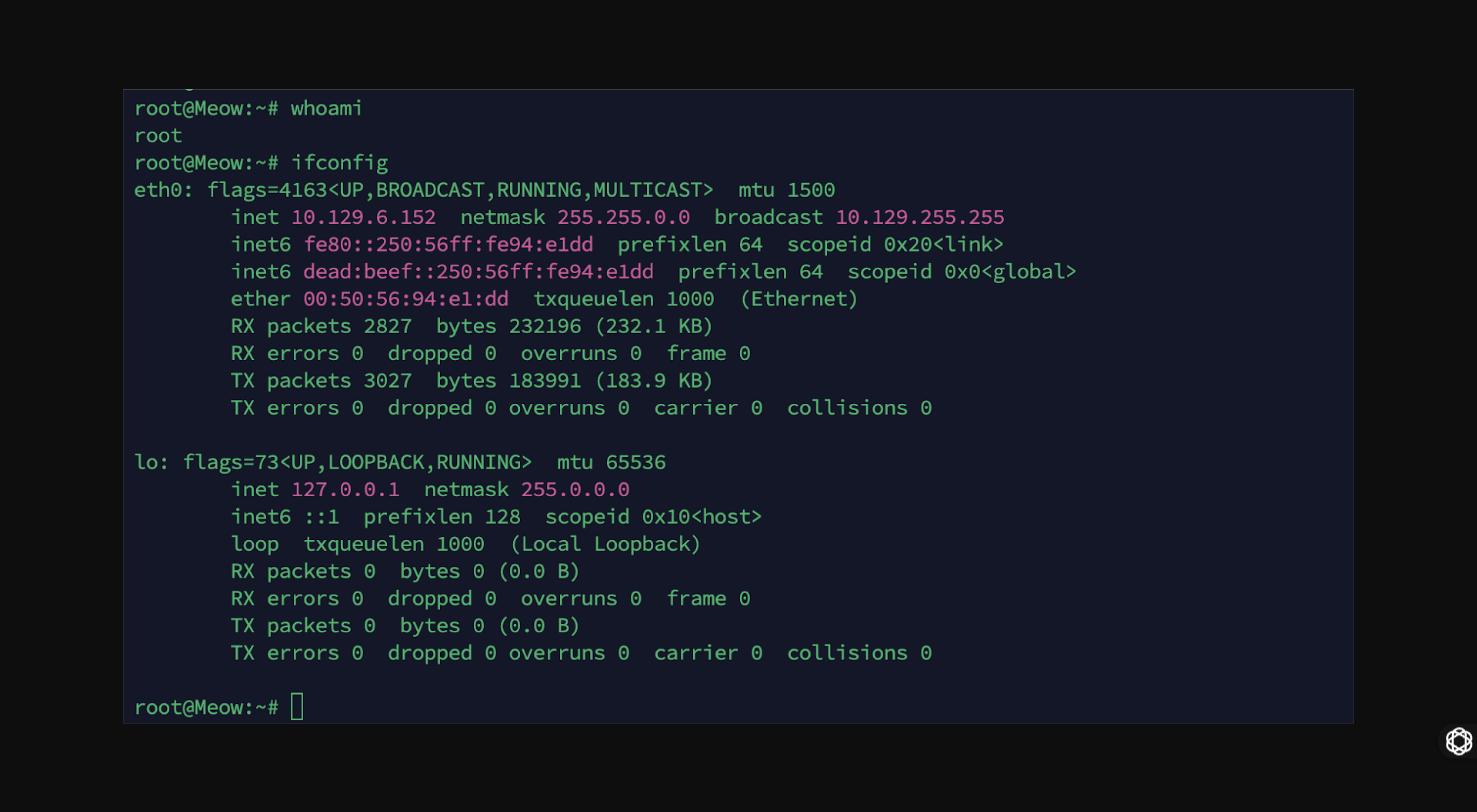
whoami confirms root, and ifconfig confirms the host’s network context, full, unauthenticated, root-level access over an unencrypted protocol.
Why This Happens
Telnet has no concept of enforced authentication by default, it’s entirely up to whatever service or device exposes it. On embedded systems, legacy appliances, and misconfigured Linux boxes, it’s common to find Telnet left enabled either with no password set, or with default/weak credentials never rotated after deployment. Combined with the protocol sending everything, including any credentials that are set, in cleartext, an exposed Telnet service is one of the simplest wins an attacker can find during recon.
Remediation
- Disable the Telnet service entirely wherever it isn’t strictly required; use SSH instead.
- If Telnet must remain for legacy reasons, restrict access via firewall rules to trusted management networks only, and never expose it to the internet.
- Enforce strong authentication, never leave a Telnet daemon with no password configured.
- Treat any host found with an open, unauthenticated Telnet port as a critical finding, it’s typically an immediate full-compromise path.